
A Powerful Alternative to WinRAR
7-Zip, developed by Igor Pavlov, is a free and open-source file archiver that provides an efficient alternative to commercial utilities like WinRAR. Licensed under the LGPL, it supports a wide range of formats and offers exceptional compression through its native .7z format. Users can create and extract archives across common types such as 7z, ZIP, TAR, and WIM, and extract additional formats like RAR, DMG, and ISO. Its balance of performance, flexibility, and simplicity makes it a popular choice for both personal and professional file management.
Top Recommended Alternative

Designed for Versatility and Performance
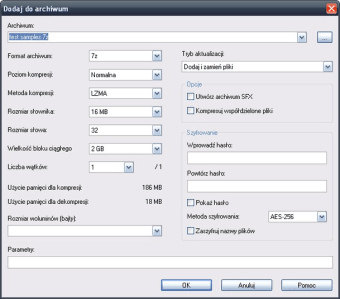
7-Zip is built around the LZMA and LZMA2 compression algorithms, which deliver high compression ratios while maintaining reliable data integrity. The tool often outperforms other archivers when creating 7z archives, though compression time increases with stronger settings. It cannot create proprietary RAR files, but it extracts them efficiently. The lightweight design ensures smooth operation even on older or resource-limited systems, appealing to both everyday and power users.
User-Friendly Installation and Interface
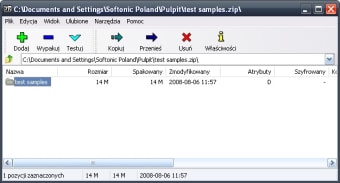
Installing 7-Zip is quick and simple, with a small download size and no bundled software. Users can select an installation directory or choose a portable version for use without setup. The interface functions like a basic file manager, displaying archive contents clearly for easy extraction and compression. Seamless Windows Explorer integration adds right-click shortcuts, letting users pack or unpack files directly from context menus for faster workflow.
Performance and Stability Considerations
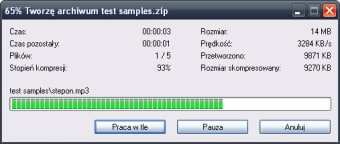
Performance depends on chosen compression settings—higher ratios demand more CPU and memory resources. In general use, 7-Zip remains stable and efficient, even during long operations. Its open-source nature means no commercial support, but a large user community provides active troubleshooting and guidance. Regular updates from the developer also ensure continued reliability and security across versions.
A Solid Choice for Compression Needs
In summary, 7-Zip delivers powerful compression, strong AES-256 encryption, and wide file compatibility in a completely free package. While its compression process can be slower under maximum settings and it cannot create all formats it opens, it remains one of the most trusted, efficient, and transparent archiving tools available. Its clean design and strong community backing make it a dependable choice for managing archives of any size.












.png)